Turn strategy into delivery
Connect strategic objectives to delivery plans and periods. Track OKRs, manage timeboxes, and link every project and task to the goals it advances.
Strategy and delivery in one place
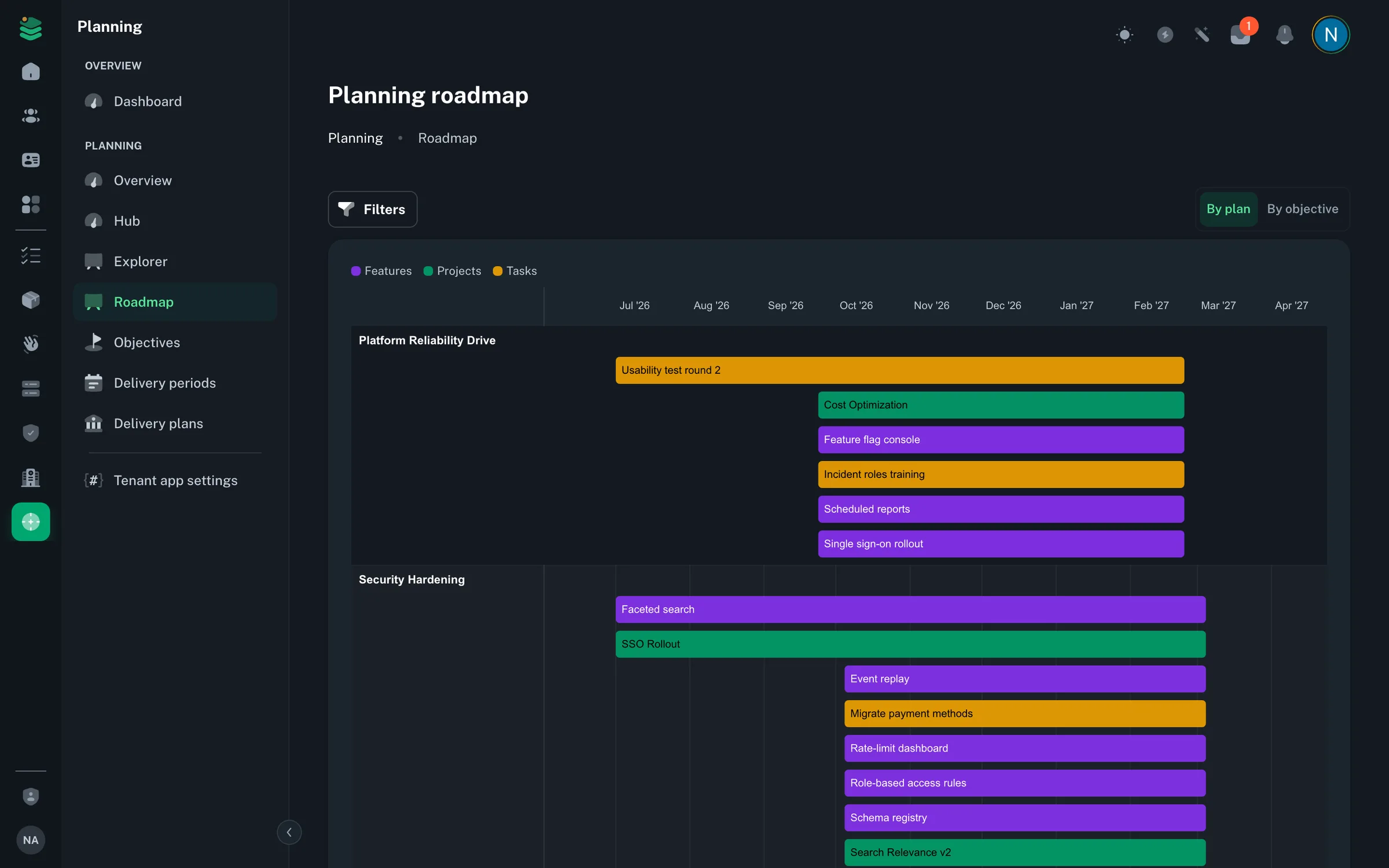
From objective setting to roadmap review, OpsWorker gives your team a single surface for planning and tracking what gets built. Standard plans include objectives, delivery plans, delivery periods and the roadmap. Enterprise adds period freezes, snapshots and the explorer.
Measurable objectives
Define strategic objectives with a measurable target — set baseline, target and current values with a unit, and see progress as a percentage.
Delivery plans
Create delivery plans with required start and end dates. Link plans to objectives, delivery periods, and work items to keep strategy and execution connected.
Delivery periods
Define reusable timeboxes — months, quarters, half-years, or custom ranges. Freeze an active period to capture a versioned snapshot of delivery state (Enterprise).
Work links
Attach projects, tasks, objectives, features, and delivery plans to one another. Cross-cut the delivery graph without duplicating data.
Roadmap timeline
View a computed timeline across all active delivery plans. Filter by product, feature, objective, plan or period to see what ships when.
Planning explorer & hub
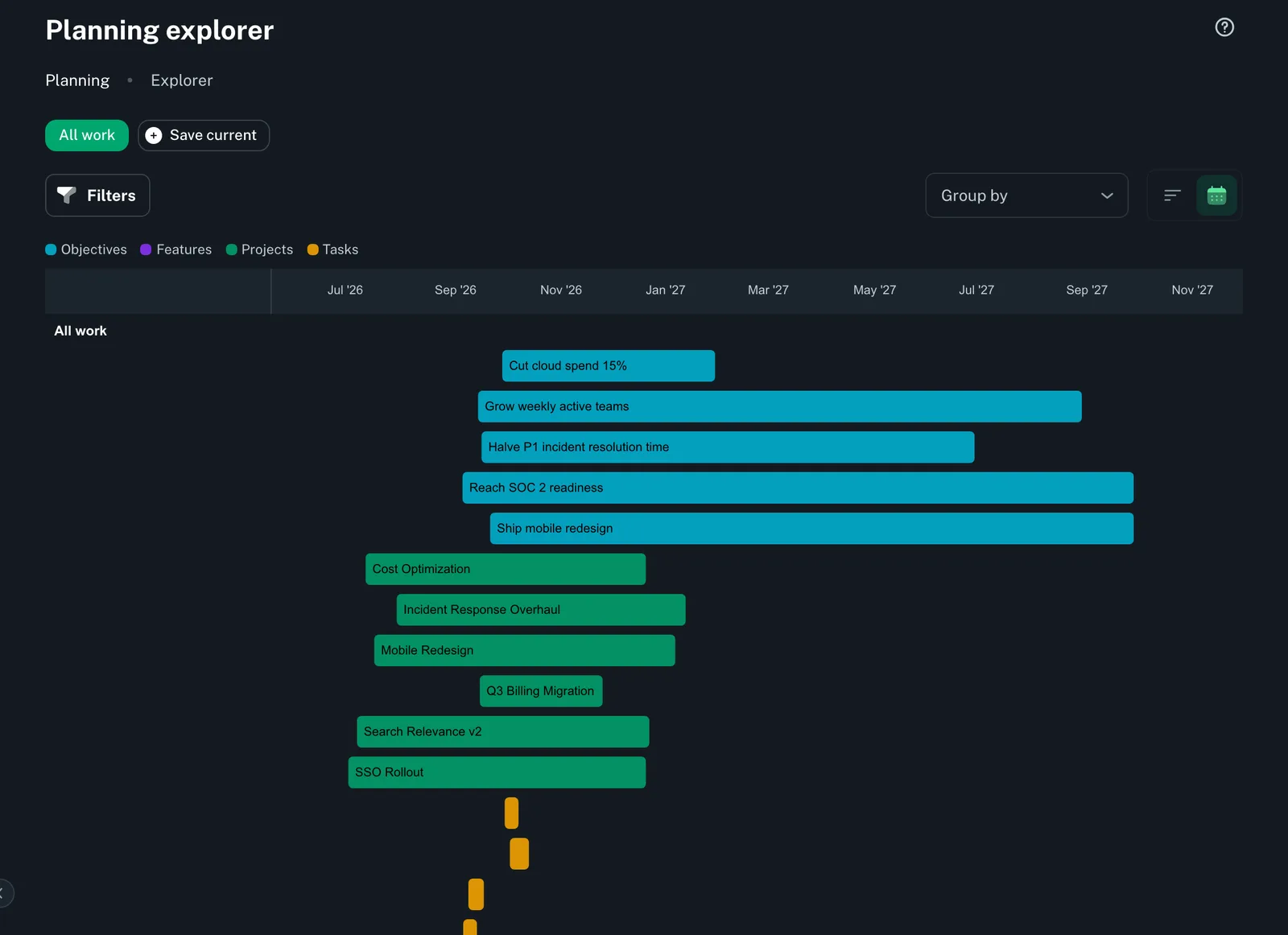
Navigate the full planning graph from a single hub. Save personal filter sets in the explorer (Enterprise) and return to exactly the view you left.
Objectives that drive delivery
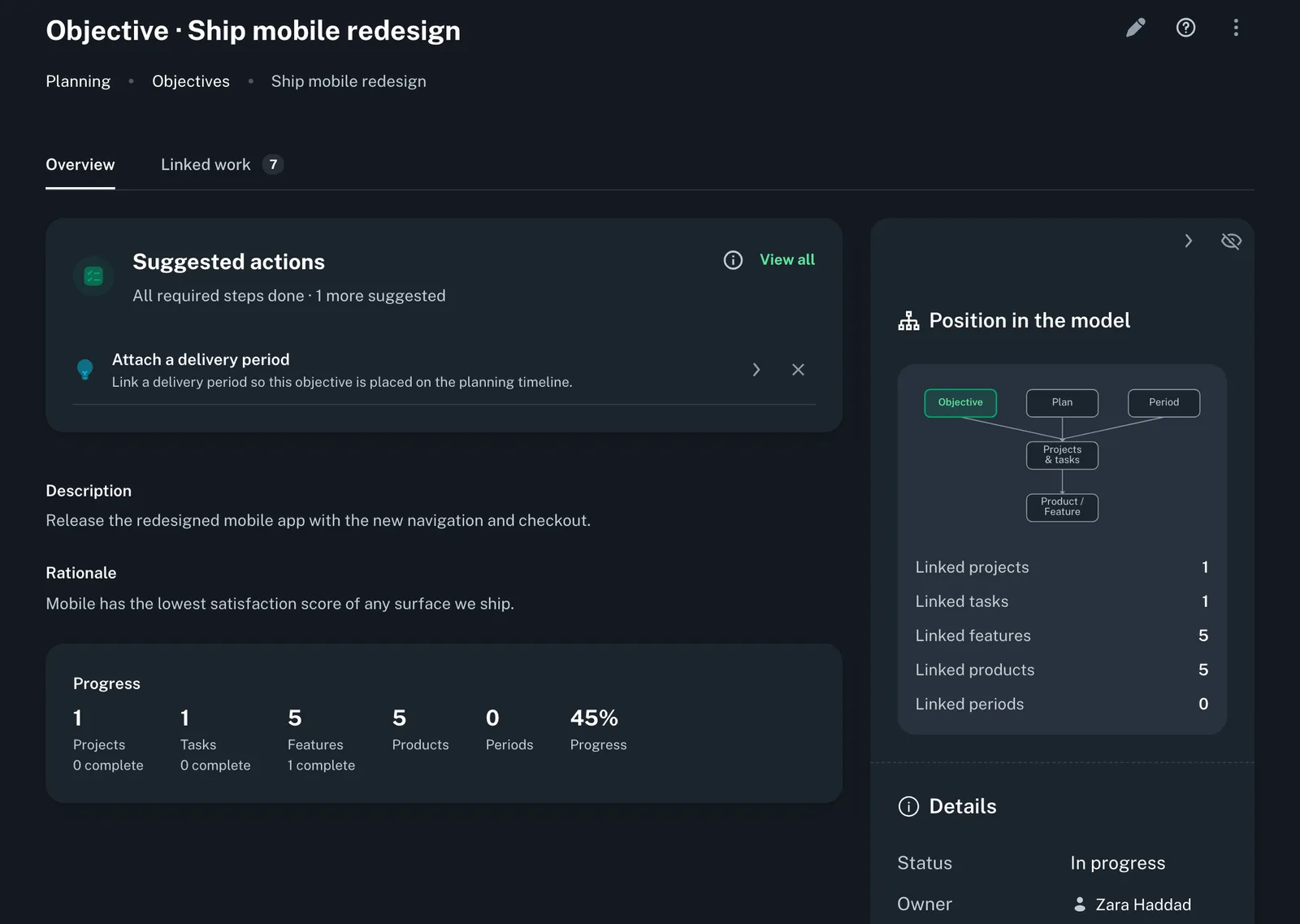
Connect strategic objectives to the delivery plans and periods that fulfill them. Each objective shows OKR progress next to a live rollup of linked projects, tasks and features — and how many are done.
Objectives with baseline, target, and current values
Objectives linked to delivery plans and periods
Status lifecycle: not started, in progress, at risk, completed
Owner assignment and rationale per objective
Delivery periods and freezes
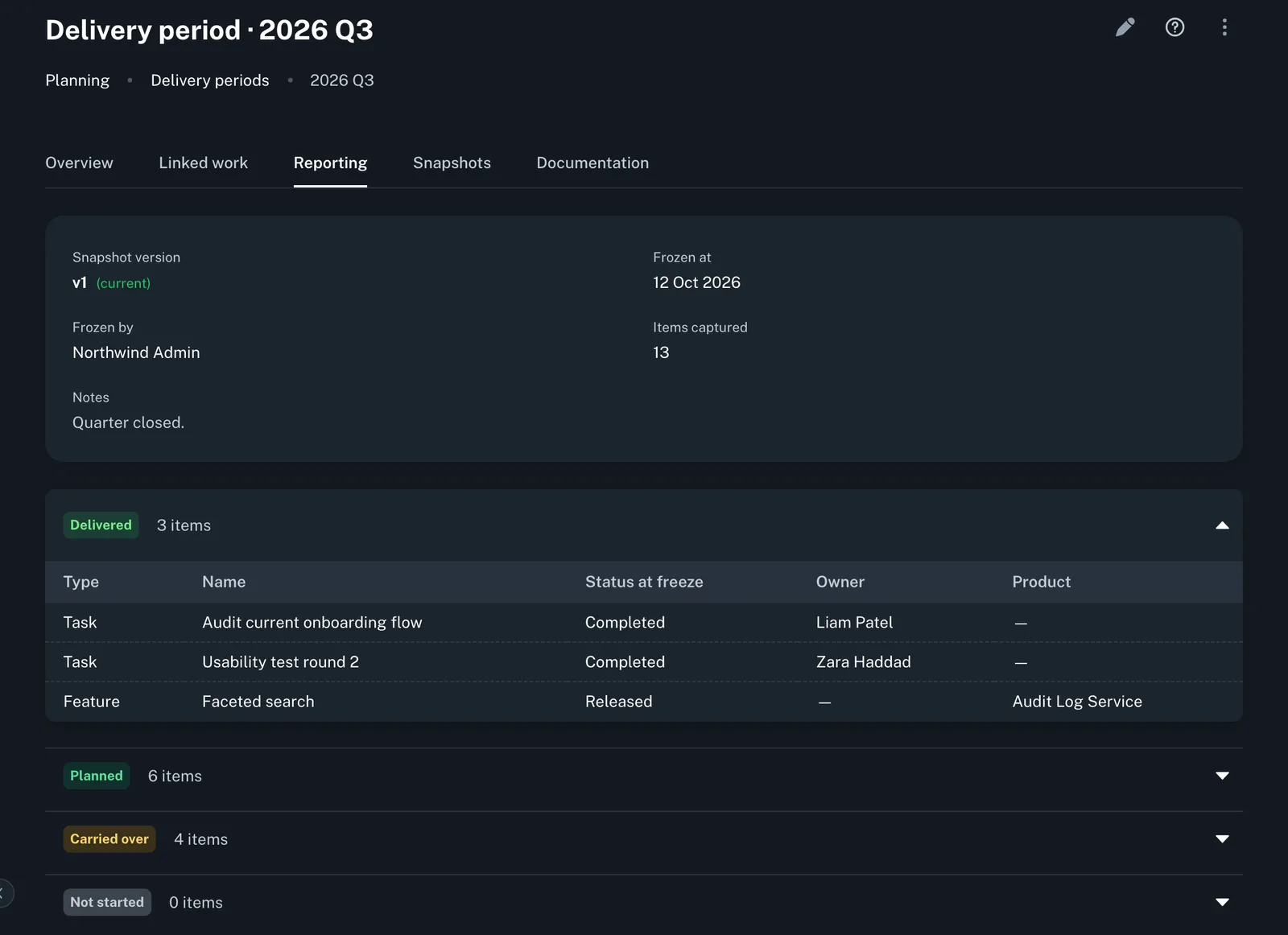
Manage quarterly and custom timeboxes that the whole team commits to. Freeze an active period to lock a versioned snapshot for retrospectives and compliance (Enterprise).
Period types: month, quarter, half-year, year, custom, ongoing
Freeze creates a versioned, immutable snapshot (Enterprise)
Fiscal-year settings drive quarter-generation defaults
Period status lifecycle: draft, active, closed, archived
Work links across the planning graph
Link any project, task, feature, or objective to any delivery plan or period without duplicating records. The planning graph stays accurate as work evolves.
Projects, tasks, and features linkable to objectives
Plans and periods linked to objectives and features
Roadmap timeline computed from active link data
Saved explorer filters per user for quick recall (Enterprise)
Ready to align your team around delivery?
Start connecting your objectives to the work that ships them. 7-day free trial, card required.