Plan, track, and deliver with clarity
From quick personal tasks to complex multi-team projects, OpsWorker gives you the views, workflows, and focus tools to ship on time.
Everything you need to manage work
A complete task and project management toolkit designed for engineering teams who need flexibility without complexity.
Your personal to-do list
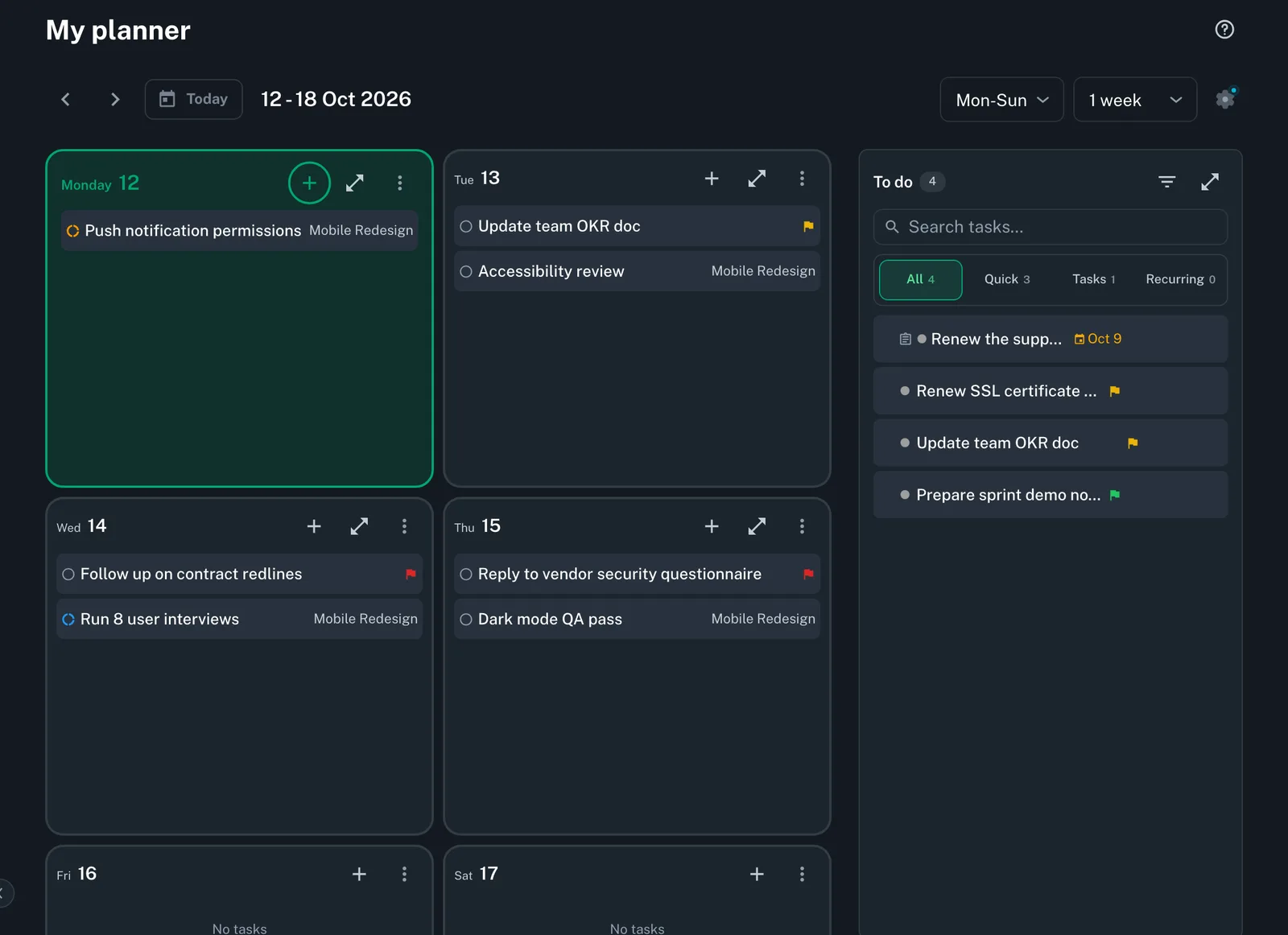
Quick tasks, project tasks and recurring work come together in one personal planner, with a to-do list of everything not yet scheduled.
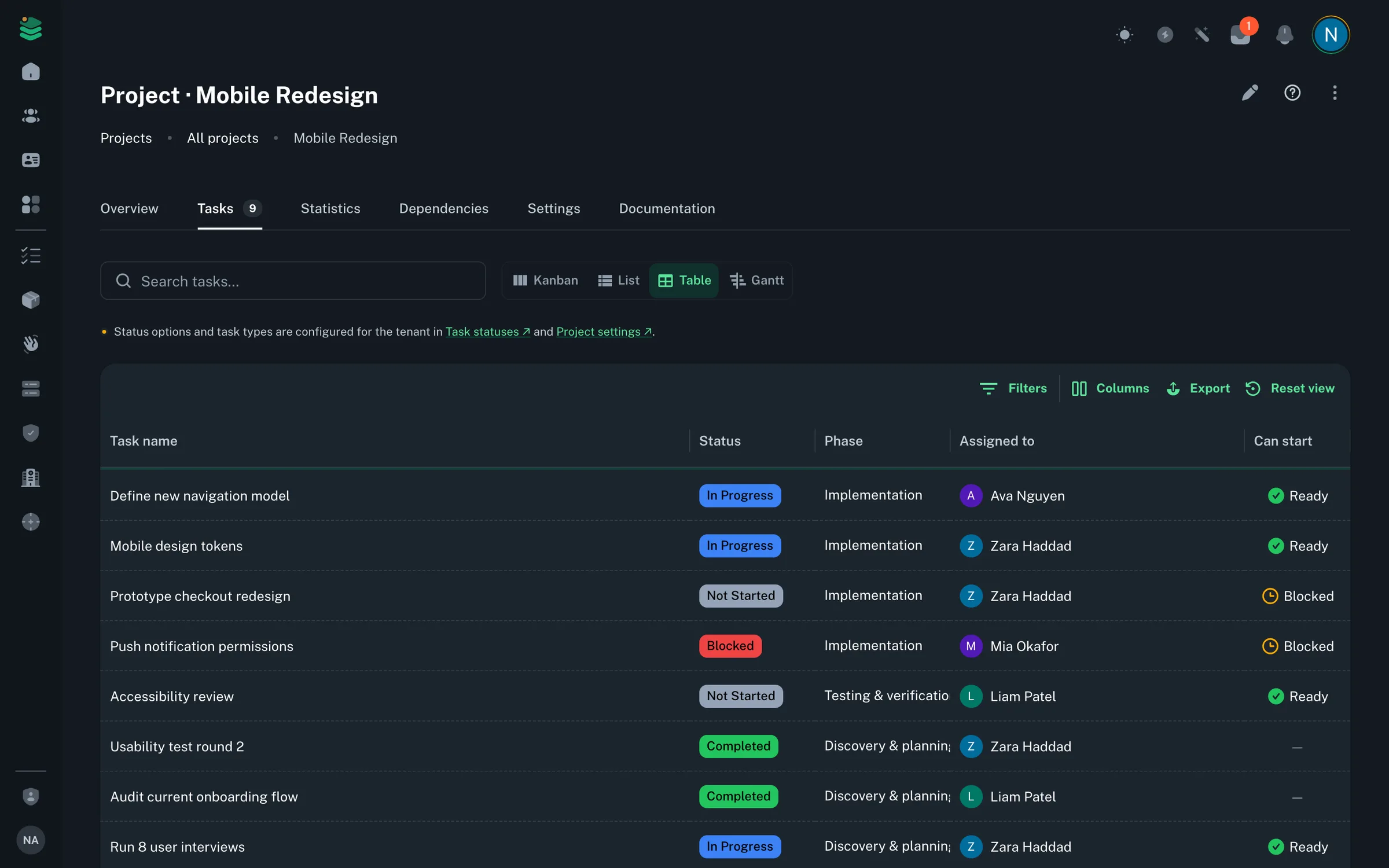
Kanban, Gantt, list & table
Four view modes so every team member works the way they prefer. Switch between views without losing context or filters.
Planner
Drag work onto a one-, two- or four-week planner that fits your working days. Reschedule by dragging between days, and an overdue banner catches anything that slipped.
Focus mode
Go full screen with today's planned tasks, a Pomodoro timer and calm ambient scenes. Tick work off and add quick tasks without leaving focus.
Dependencies & blockers
Chain tasks with finish-to-start dependencies — circular chains are blocked automatically, and you're notified the moment a blocker clears.
Smart views & collections
Built-in views — Due today, Scheduled today, Upcoming, Overdue — with live counts. Group related work into private or team-shared collections.
Multiple view modes for every workflow
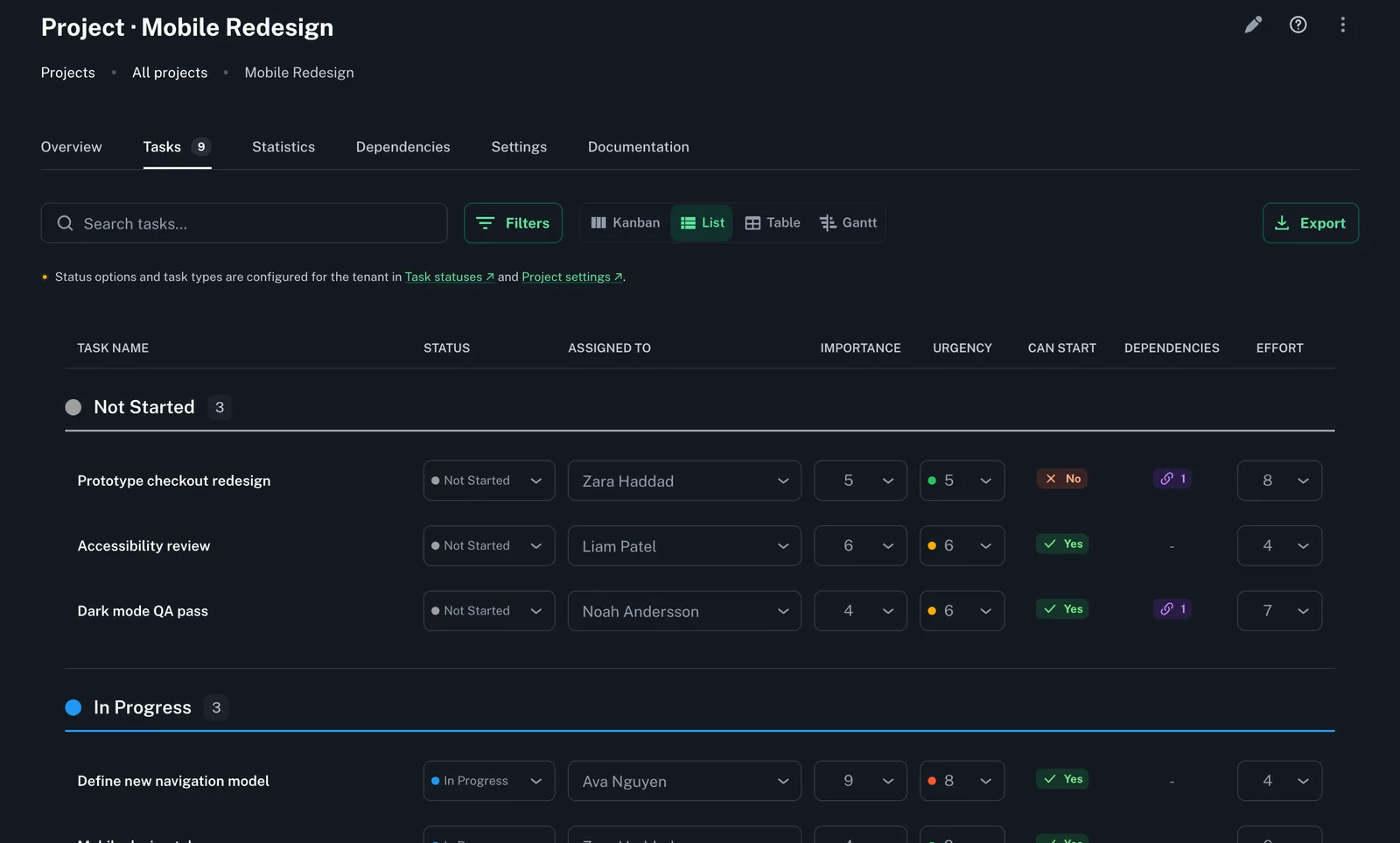
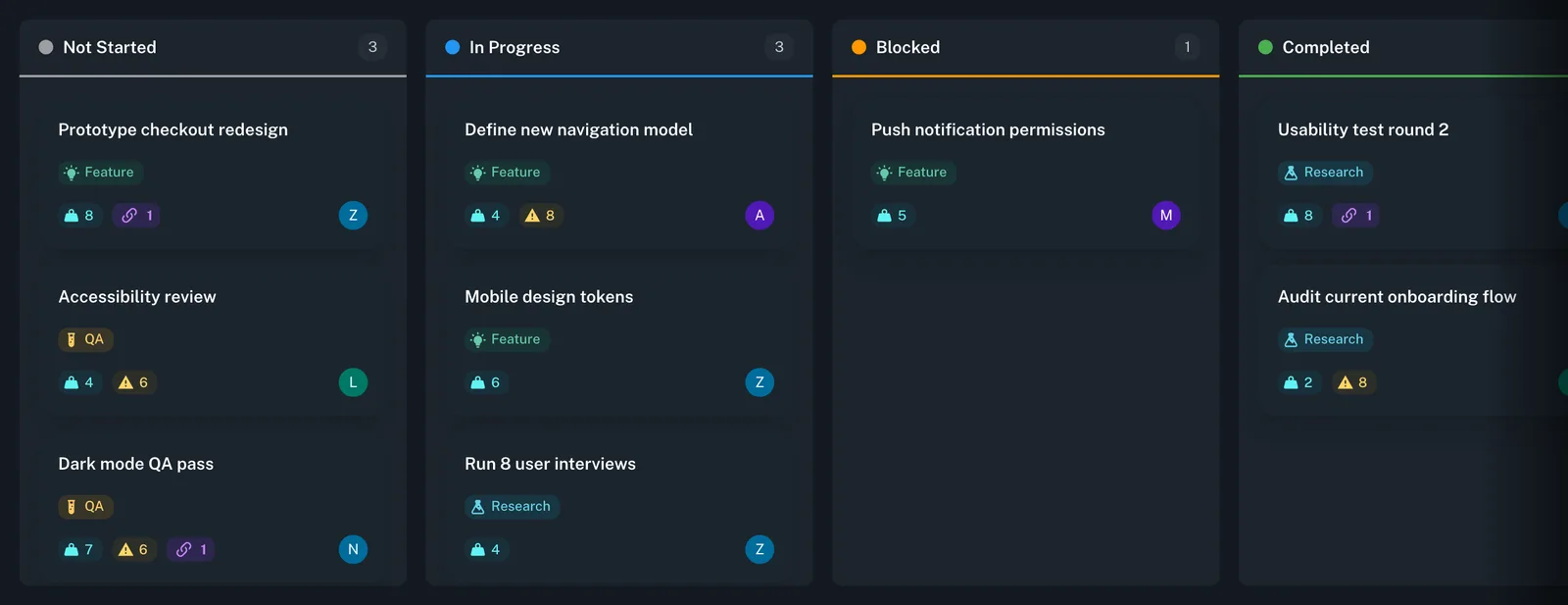
Switch between Kanban boards, Gantt charts, data-rich tables, and focused list views. Each team member picks the layout that fits their working style.
Kanban board: drag cards between status columns, edit inline
Gantt chart with dependency arrows
Sortable, filterable table with bulk updates, a quick-add row and export
Compact list view for rapid triage and status updates
Workflows that match your process
Customize task statuses and task types per project, on top of your organisation-wide defaults. Build workflows that reflect how your team actually works instead of forcing a rigid methodology.
Custom status columns with your own names, colors and icons
Importance and urgency scores, plus color-coded task types
Tags on projects, playbooks and recurring tasks for cross-project filtering
Recurring task templates for repeatable processes
Planner and focus mode
Plan your week by dragging tasks onto the planner, then switch to focus mode to work through today's list without distractions.
One-, two- and four-week planning views
Per-assignee workload chart on every project's Statistics tab
Focus mode with a Pomodoro timer and ambient scenes
Personal quick tasks alongside project work
Ready to plan with clarity?
Start organizing your tasks and projects today. 7-day free trial, card required.