Make hybrid work effortless
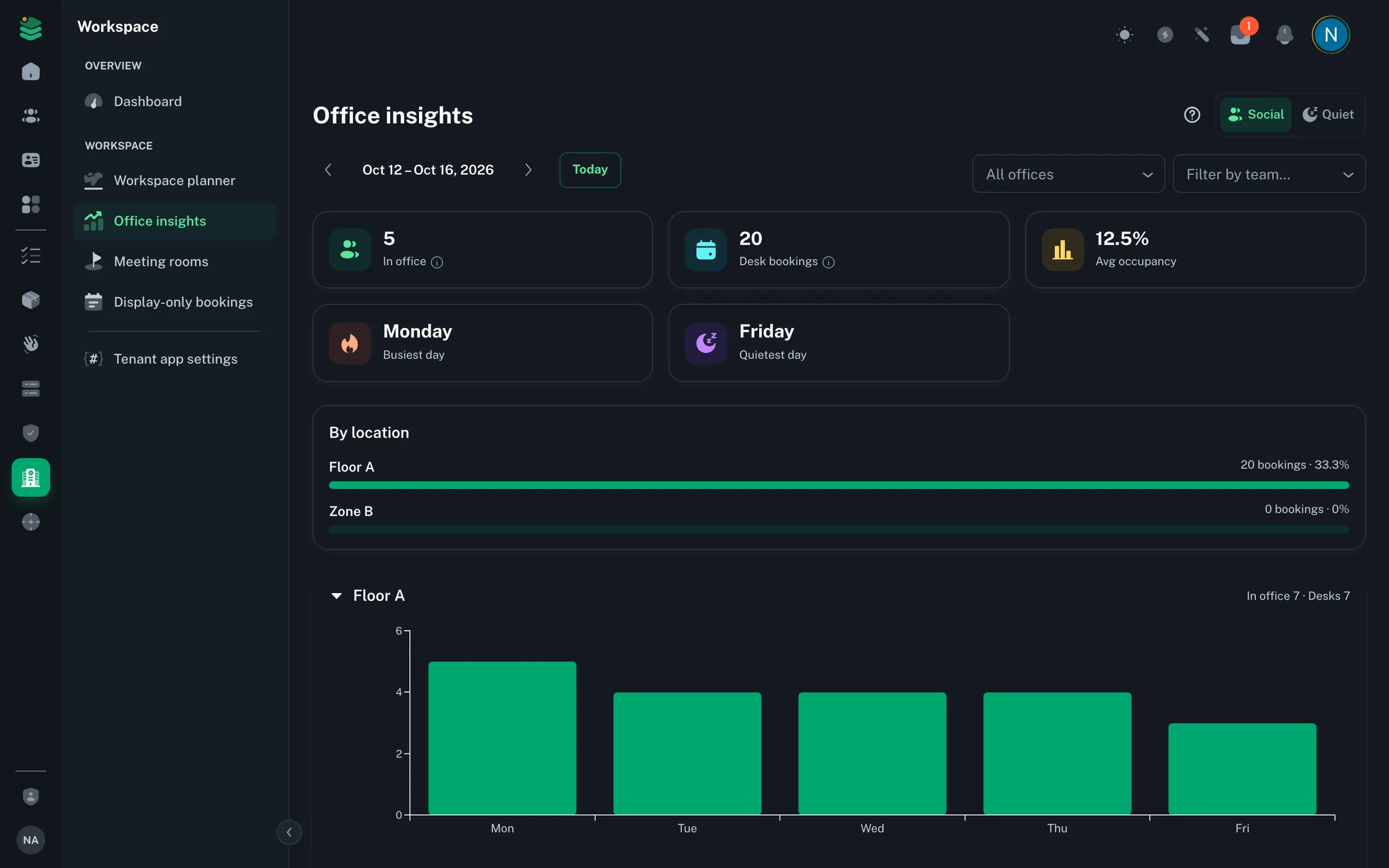
Book desks and meeting rooms, declare your day, and manage your physical offices with interactive floor plans — all from a single workspace hub.
Everything hybrid teams need
From desk bookings to floor plans and day-state declarations, OpsWorker gives distributed teams the tools to coordinate their physical space.
Desk & seat booking
Reserve a desk or seat for a full day or a time slot — pick it on the floor plan or let OpsWorker auto-assign one. Booking visibility helps teams coordinate when to come in together.
Meeting rooms
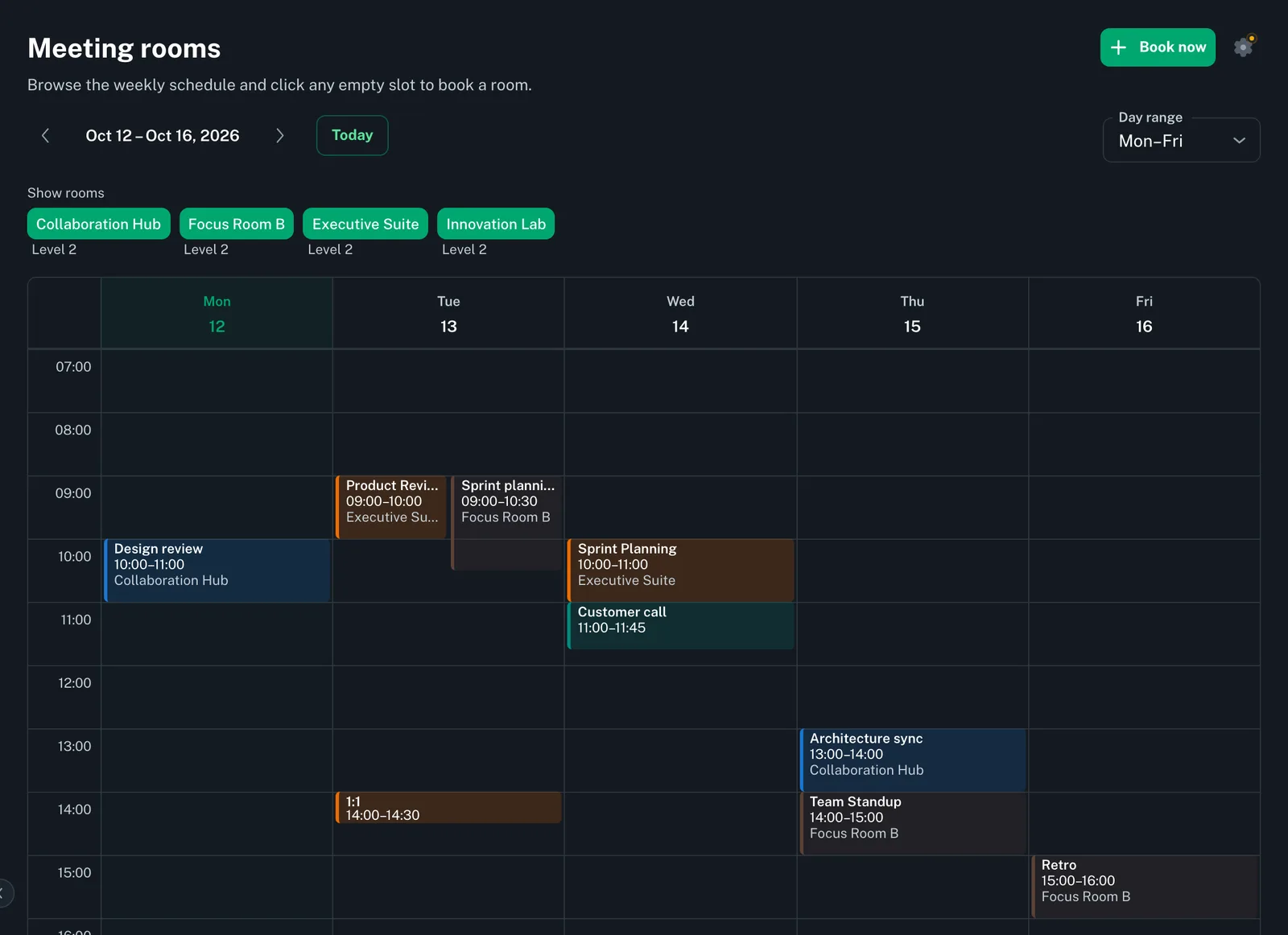
Manage meeting rooms per office with seat counts and book them from a shared weekly room calendar that flags clashes. Rooms run in another system, like Outlook, can be shown as display-only.
Floor plan editor
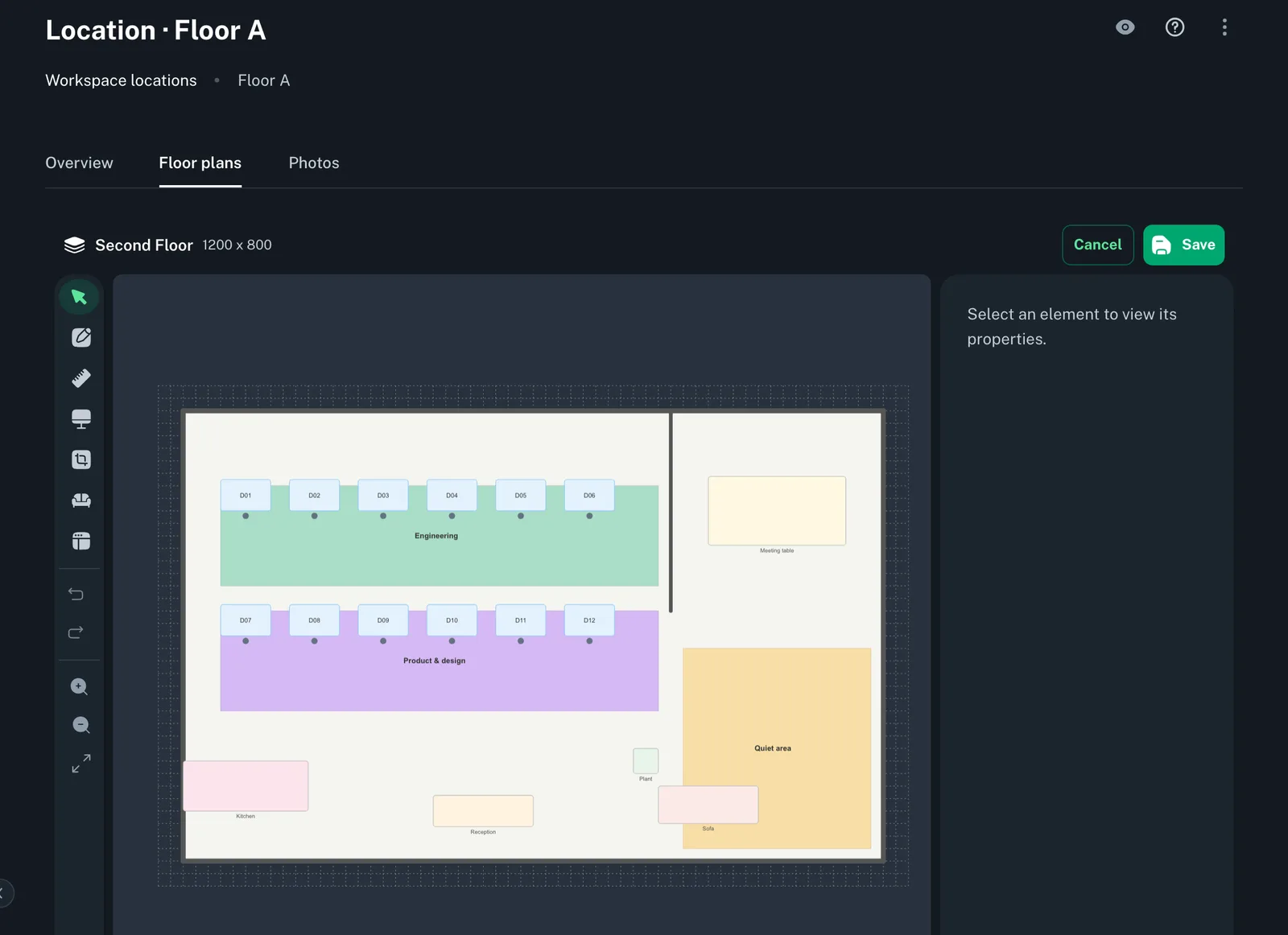
Draw floor plans in the built-in canvas editor — outlines, walls, doors, windows, desks, zones and furniture — and let employees pick their desk straight from the plan when they book.
Hybrid day states
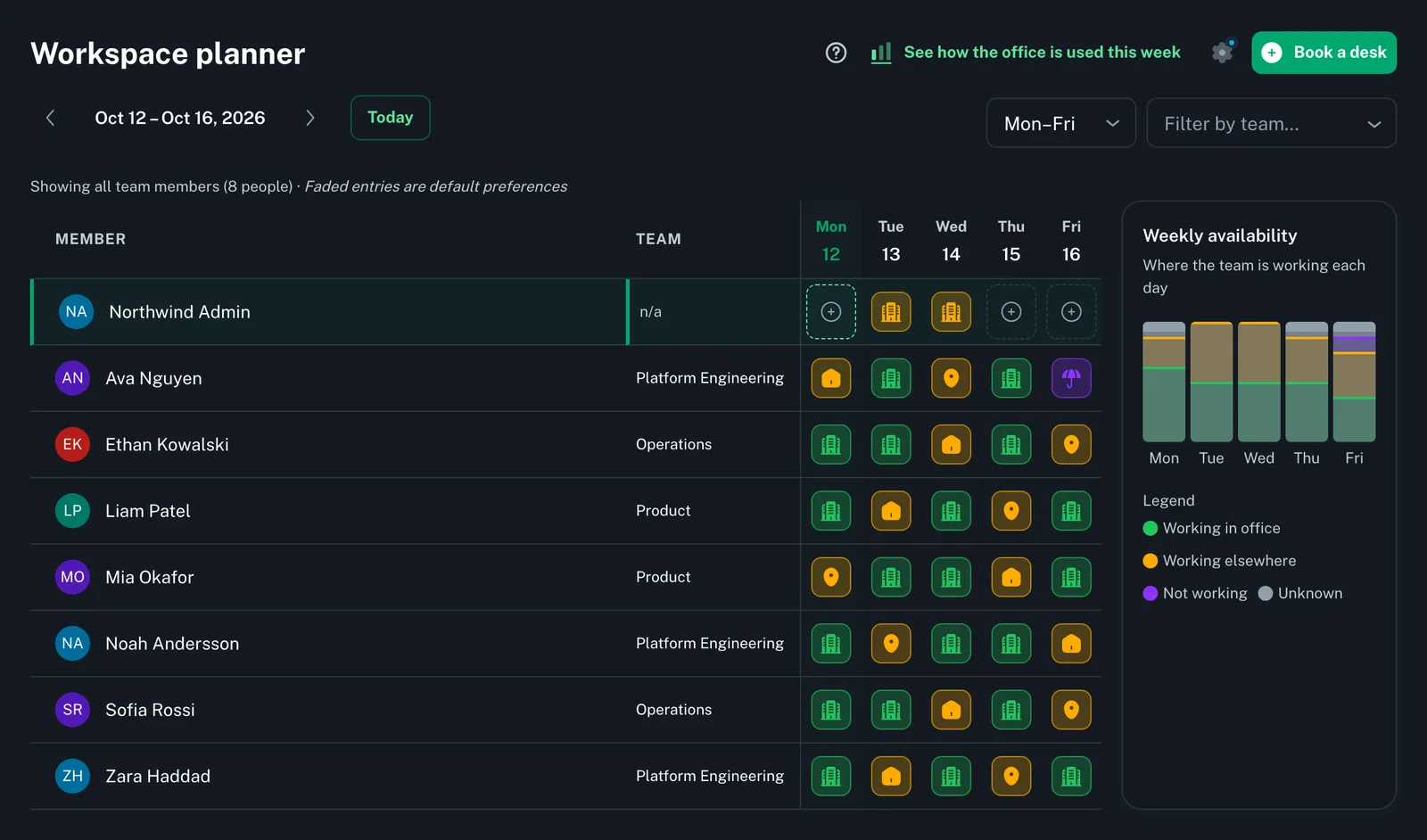
Employees declare their location for each day — office, remote, or out. Composite day states roll up individual declarations into a team presence view.
Offices & locations
Model offices with address, photos and meeting rooms, set up the work locations people choose from, and add one floor plan per floor.
Week scheduling
Set a default day pattern for the week and let the system pre-fill location for recurring days. Override individual days as needed without losing the pattern.
Draw floor plans in the built-in editor
Sketch each floor of your office in a drag-and-drop canvas editor. Employees pick a desk straight from the floor plan when they book.
Draw outlines, walls, doors and windows on a snap-to-grid canvas
Place desks, named zones and furniture on the canvas
Multi-floor offices supported per location
Hybrid work made simple
Employees set a default weekly pattern and declare their location for each day. Managers see team presence at a glance without chasing status updates.
Default day pattern with per-day overrides
Day modes: office, remote, out, and custom
Org-wide breakdown of who's in the office, home, at a client or out
Week schedule shared across the team calendar
Desk and room booking
Reserve a desk or meeting room in a few clicks. Bookings show up in the team planner right away, so colleagues can see who's in and where.
Full-day or time-slot desk reservations, with auto-assign
Meeting rooms booked from a shared weekly room calendar
Booking conflicts surfaced before confirmation
Your week at a glance in the planner and on your dashboard
Ready to make your office work for everyone?
Start managing desks, rooms, and hybrid schedules today. Enterprise plans include everything on this page — 7-day free trial, card required.